
Error 0x800F0954 installing .NET 3.5 on Windows 10
If you’re experiencing error 0x800F0954 when trying to install .NET 2.0 and 3.5 on Windows 10, and you’re in a domain environment, then a simple temporary registry change should solve your troubles.
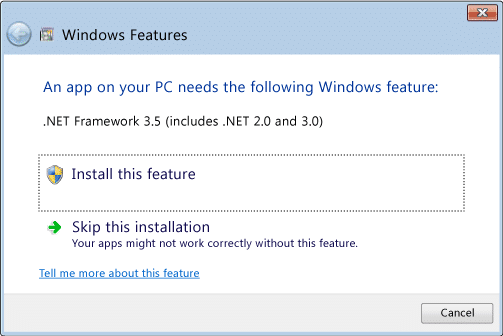
The error 0x800F0954 typically appears if your machine is trying to connect to it’s locally configured WSUS server to download the required files which may not exist.
To work around the issue, temporarily change the “UseWUServer” registry setting in the key below from 1 to 0, the restart your PC.
HKEY_LOCAL_MACHINE\SOFTWARE\Policies\Microsoft\Windows\WindowsUpdate\AU\Once you\’ve done this, mount your Windows 10 disk and use the following DISM command to install .NET 2.0 and 3.5.
dism /online /enable-feature /featurename:NetFX3 /Source:D:\sources\sxsFYI, make sure you change the folder path of the /Source: setting to the correct drive letter for you Windows 10 install.

Simon Holman
.NET and Azure Developer
I write about .NET, Azure, and cloud development. Follow along for tips, tutorials, and best practices.
Related Posts
Resetting a DotNetNuke Host user password
A frequent question asked by customers is how to reset the DotNetNuke Host users password if you can’t remember what it is. If you have access to the database t

Ignore Azure Function false positive dependency failures using TelemetryInitializers
Let me start by saying that I love Appication Insights. The level of detail it gives you out of the box to monitor and troubleshoot application issues is

Handling new user registration with Auth0 and ASP.NET Core 3
When creating a new site that will have users logging into it, you'll invariably have to choose an identity provider to use. You can use the the inbuilt